Locations in one system
The structure of rooms, sections and access rights stays consistent.
ClubBase for sports schools
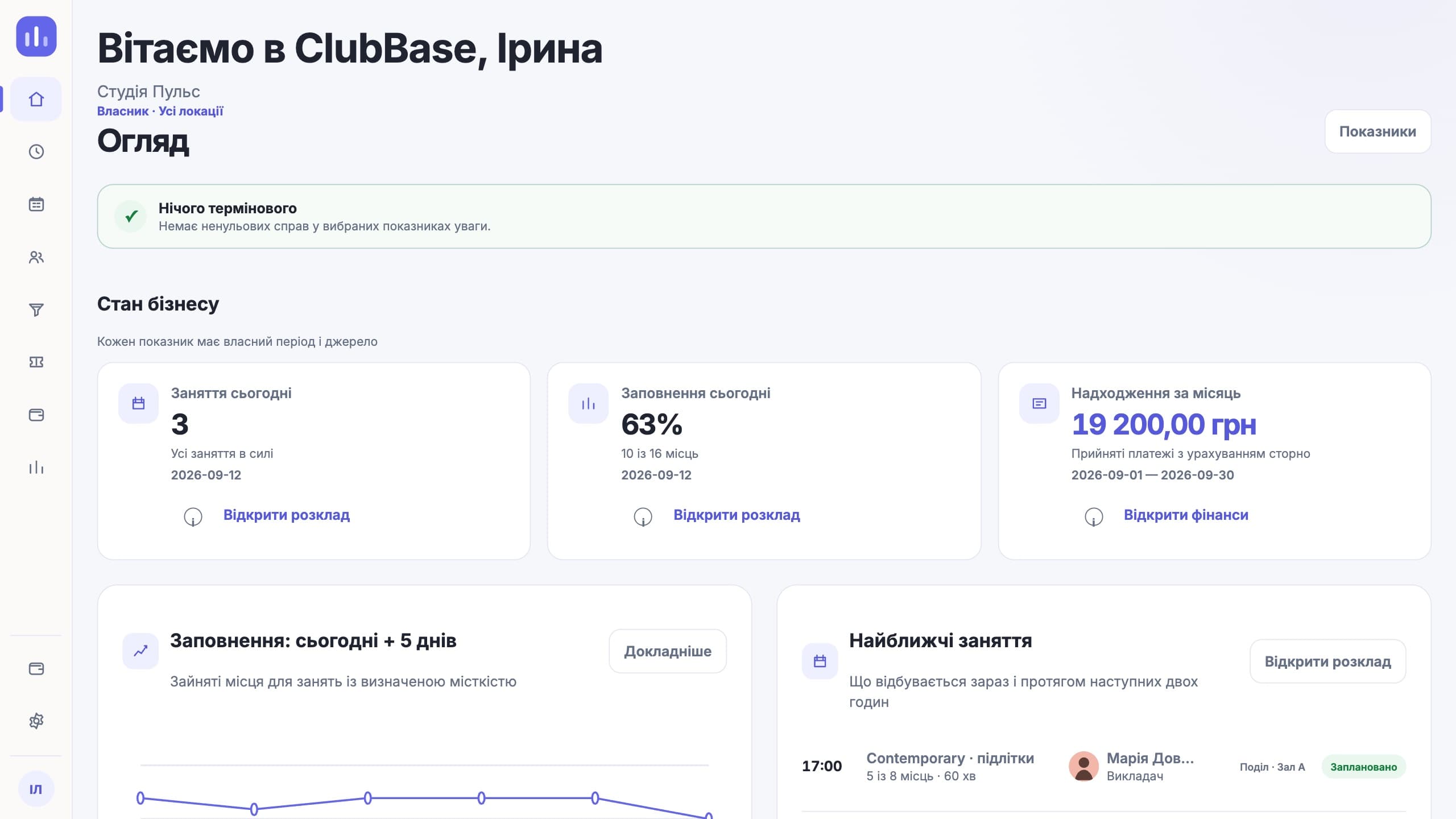
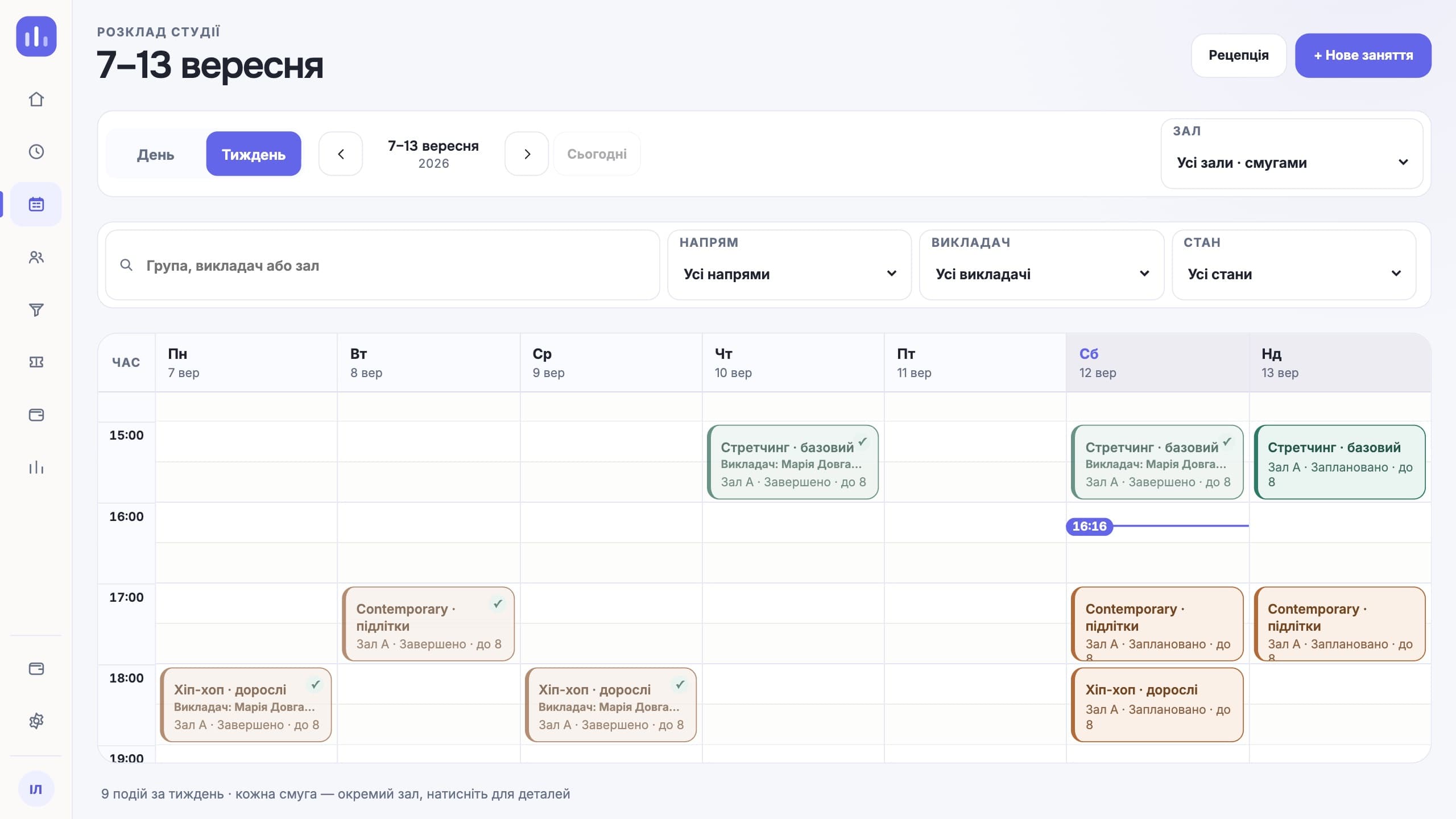
Everyday workflows
The structure of rooms, sections and access rights stays consistent.
Finances, the schedule and people are visible only to authorised roles.
Student, guardian and payer are linked in one profile.
Critical changes record who made them and when.
Features for this type of studio
Looking specifically for class booking? How the online booking software works — groups, capacity, memberships and reminders.
Roles and access
Sees the whole network and critical changes.
Works with their own location.
Has access to their own sections.
Get what they need in Telegram.
What people come with
Each location keeps its own file, and the summary is put together once a month by copying. Here the location is a field in one set of data: a front desk admin sees their own, the director sees all of them and the difference between them.
In a shared spreadsheet either everyone sees everything, or access is handed out file by file. Here access rights are tied to the role and the location: a coach sees their sections, and the school’s finances stay closed to them.
Children and parents’ phone numbers end up in one list, and a year later it is unclear whom to call about payment. Student, guardian and payer are separate roles next to one person.
When a child disappears from a group or an amount changes, a spreadsheet cannot tell you who did it. The activity log stores the real person who acted and the time of the event.
A working day
The first week
Spreadsheets of students, parents and balances go into the import location by location. The system shows rows with errors before saving.
Locations, rooms, sections, groups and coaches. Recurring training sessions are created once per season.
A front desk admin gets their own location, a coach their sections, the director the full picture. Nobody sees more than they need.
After a week you can see room occupancy, attendance regularity and debts for each location separately and together.
Compared with a generic CRM
A generic CRM hands out rights by role inside one pipeline. A school needs a different cut: a person works with their own location and their own sections, and the director sees the network. You can build this with filters, but every new employee becomes a separate setup.
When a child disappears from a group or an amount changes, you need an answer to "who and when", not a discussion in a chat. A CRM keeps a deal history; here the history covers critical changes to operational data.
A section has a schedule, a room, a coach, a list of students and its own pay rule. In a CRM all of this has to be patched together from card fields, and after the second schedule change the data drifts apart.
Honestly
Questions about this type of studio
Yes. The location is taken into account in operational data and access rights.
Yes. The audit log stores the real person who acted and the time of the event.
There is no limit on the number. Each location has its own rooms, schedule and access rights; the director sees all of them together.
Yes. Access is given to sections, not to a single location, so the coach’s schedule is built from all of their groups.
The school sets the pay rule, and it can differ between sections. Every amount opens down to the classes it came from.
No. ClubBase runs the school’s operations: people, sections, attendance and money. Official reporting forms have to be prepared separately.
The price depends on the number of active students, and each additional location has its own rate. Current prices are on the pricing page. The first days of access are free, no card required.
Start with your own structure