ClubBase features
Studio CRM features, from lead to payroll.
Every part of the studio works from the same data. An action in the schedule updates what the team, the client and the owner see.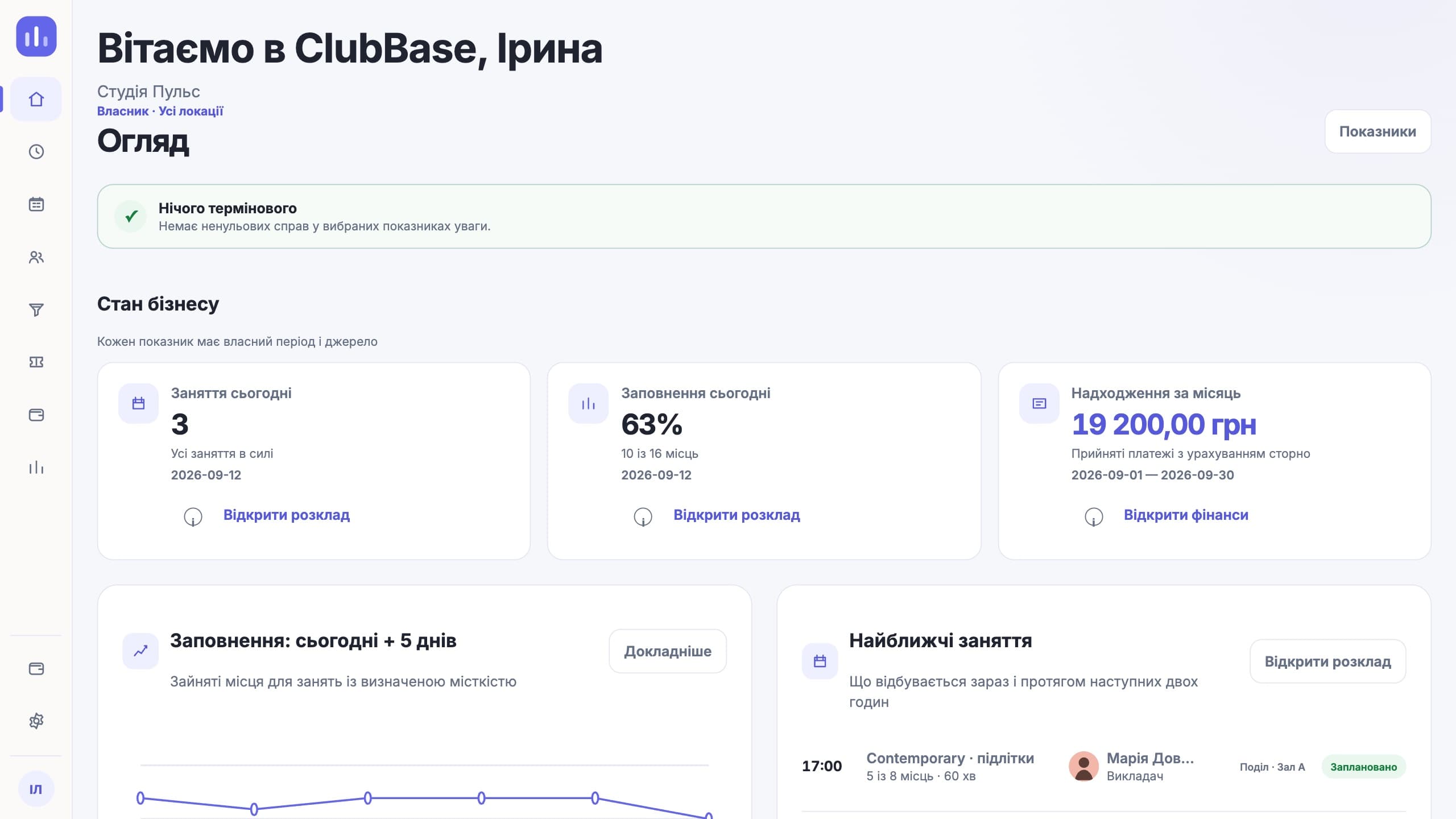
Choose a process
One studio process instead of separate modules.
Below are seven parts of one work cycle. For each, we show what the team sees and what happens in operations after an action.01
Leads and trial classes
A lead does not stall after the first message.
Status, next step, owner and trial class stay in one process.- Leads
- Trial classes
- Next steps
- Owners
- Reasons for refusal
- Conversion
Process diagram
New leadTrial scheduledNext step
02
Schedule and space
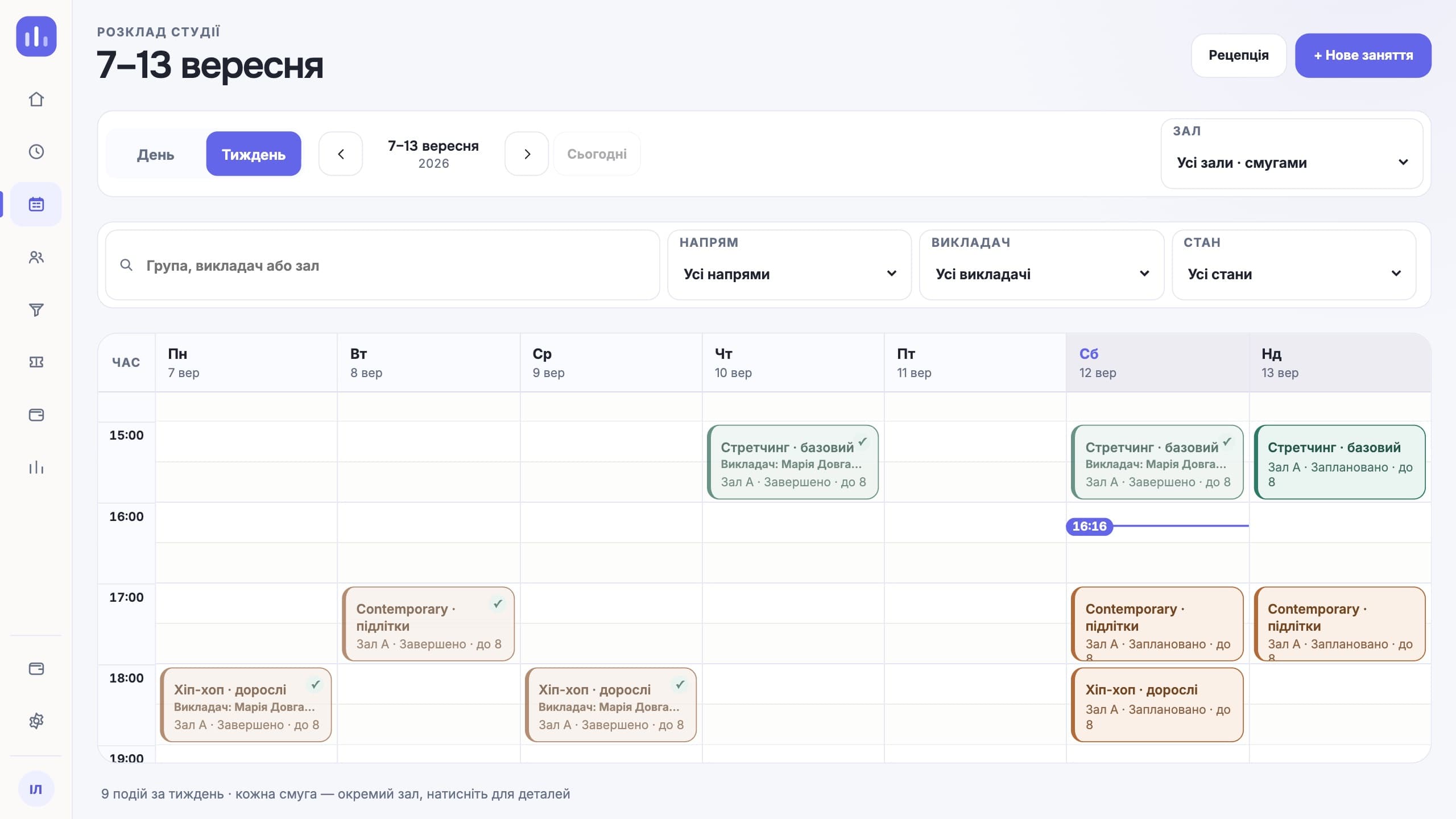
The whole week of classes in one schedule.
Groups, rooms, instructors and recurring classes are visible in one schedule. The system checks for conflicts before saving.- Class types and groups
- Recurring classes
- Rooms and locations
- Conflicts
- Substitutions
- Private classes
- Capacity
- Waitlist
03
Clients and memberships
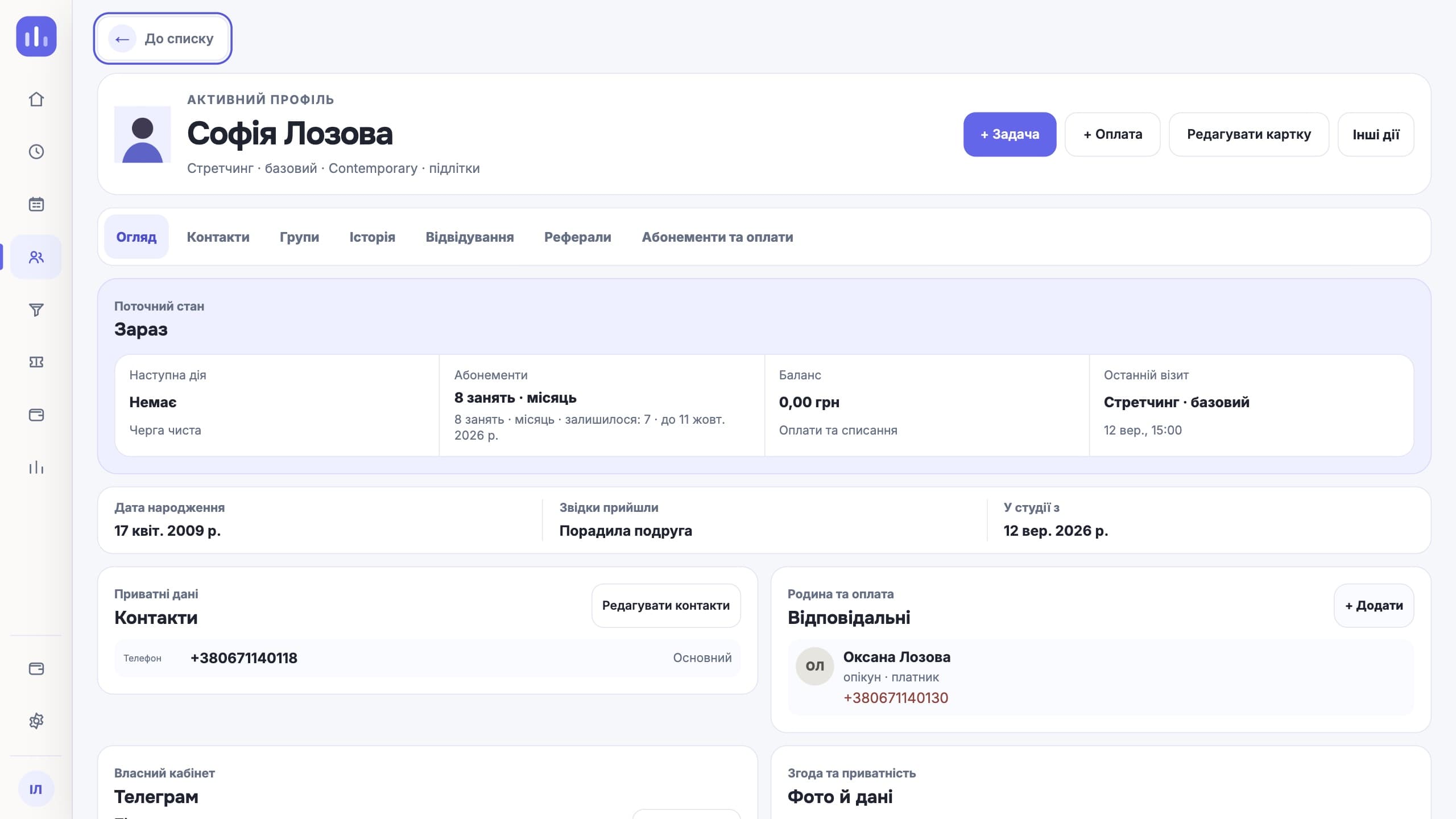
A client profile holds the data you need.
The client, related people, the payer, the group, history and membership are linked, so your team does not piece the answer together from several places.- Profiles
- Related people
- Payer
- History
- Class packs and unlimited memberships
- Freezes
- Discounts
- Promo codes
04
Attendance and Telegram
One check-in starts the whole flow.
A QR check-in updates the attendance log and the membership balance. Clients see the schedule, their balance and their QR code in Telegram, with no separate app.- QR online/offline
- Front desk log
- Visit deduction
- Reminders
- Confirmations
- Waitlist
Process diagram
- 01QR at the entrance
- 02Entry in the log
- 03Updated balance
05
Finance and payroll
Every amount can be traced to its source.
Payments, debts, refunds, expenses and team pay are linked to operational records instead of a separate finance spreadsheet.- Payments
- Debts
- Refunds
- Expenses
- Profit
- Pay formulas
- Drill-down to the source
06
Team and access
Each role sees its own part of the work.
The owner, admin, front desk, instructor and finance person work in one system, with different permissions and priorities.- Roles
- Access permissions
- Multiple locations
- Substitutions
- Workspaces
- Activity log
- Audit
Process diagram
OOwnerthe whole studioAAdmindaily operationsIInstructortheir own groups
07
Owner overview
First the state of the studio. Then the next action.
The owner dashboard brings together class load, debts, the till and upcoming operational events. You can check the period and origin of each metric.- Owner dashboard
- Periods
- Metric formula
- Multiple locations
- Reports
- Attention list
- Audit
Process diagram
ClassesToday at a glanceNeeds attentionOpen the listLocationsOpen a locationNext actionCheck debts
Everyday processes
And that is not the whole system.
Short scenarios the team opens every day, without separate spreadsheets and chats.- Leads and trial classes
- Groups and levels
- Recurring schedule
- Multiple locations
- Family links
- Memberships and freezes
- QR check-in
- Telegram reminders
- Capacity and waitlist
- Instructor substitutions
- Payments and debts
- Refunds
- Operational reports
- Team pay
- Roles and access
- Activity log
- Locations and rooms
- Owner metrics
Start with your own workflow